About rPlayer: VR & 3D Video Player
● Supported Video Modes: ・360° Panoramic Video (Stereo) ・180° VR Video (Stereo) ・360° 3D Panoramic Video (Top-Bottom and Side-by-Side Split Screen) ・2D to 3D Video Conversion (Flythrough) ・3D Video (Top-Bottom and...
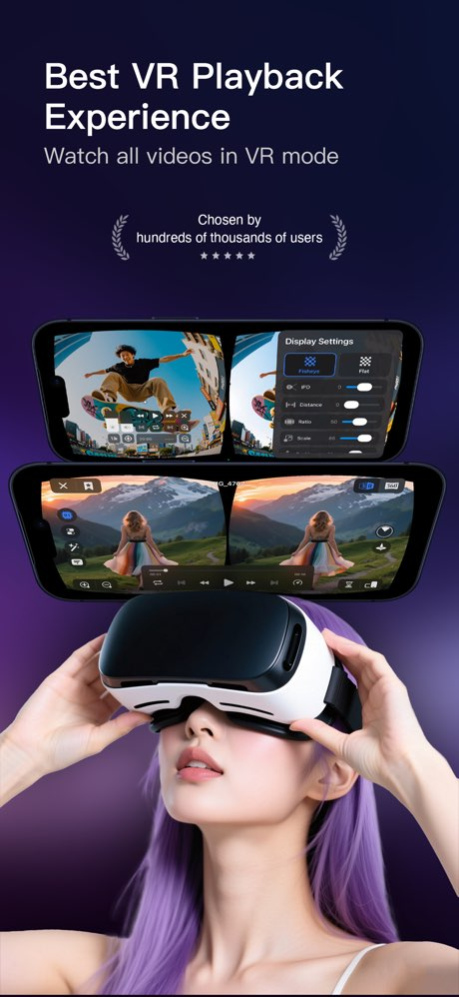
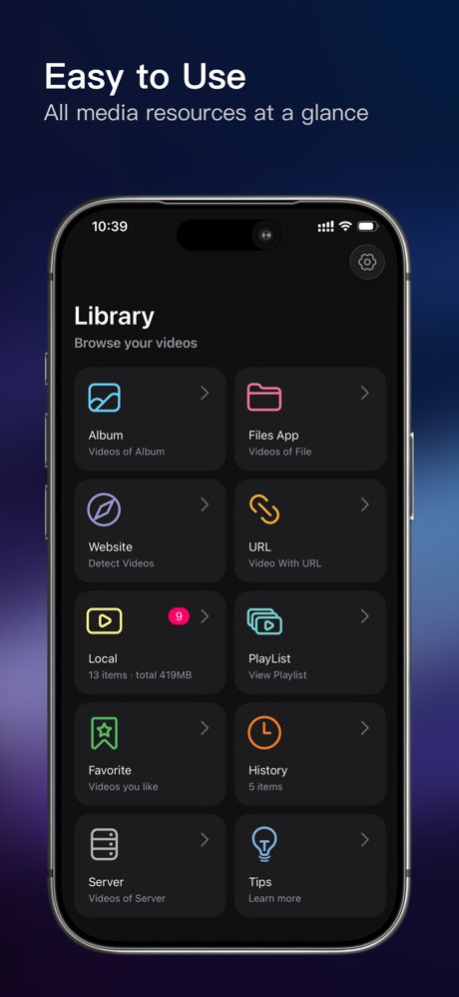
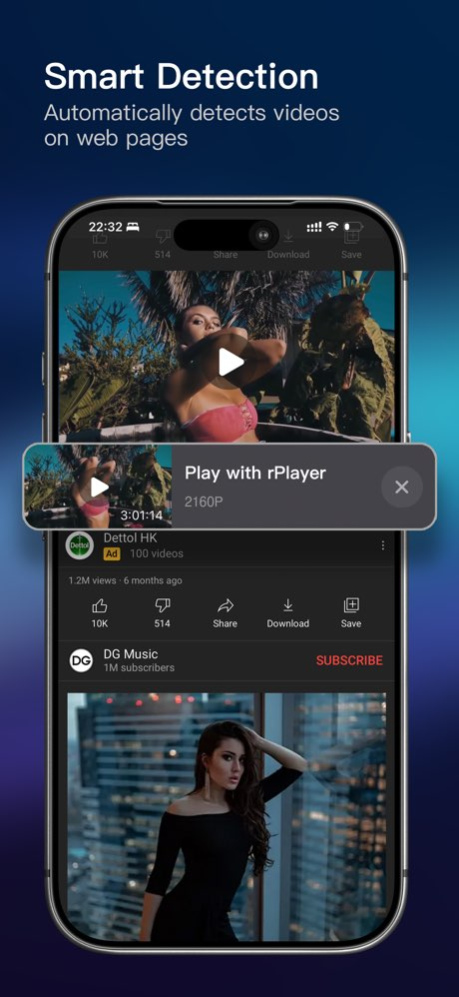
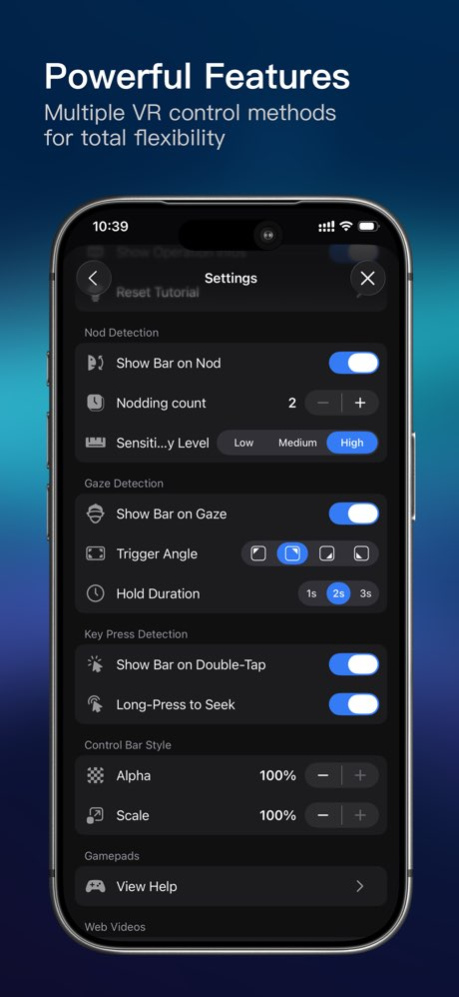
● Supported Video Modes: ・360° Panoramic Video (Stereo) ・180° VR Video (Stereo) ・360° 3D Panoramic Video (Top-Bottom and Side-by-Side Split Screen) ・2D to 3D Video Conversion (Flythrough) ・3D Video (Top-Bottom and Side-by-Side Split Screen) ・3D Video Scene Modes (Cinema, Living Room, Outdoor) ● Supported Video Formats: ・m4a, m4v, wmv, 3gp, mp4, mov, avi, mkv, mpeg, mpg, flv, rmvb, vob, etc. ● VR Video Control Methods: ・Head Motion Control ・Gamepad Control ・Single Button Control ・Gyroscope Control ・Gesture Control ・Field of View Control ・Quick Center Reset ● VR Device Adaptation: ・Interpupillary Distance (IPD) Adjustment ・Visual Center Adjustment ・Overall Zoom ・Aspect Ratio Adjustment ・Fisheye Curvature Adjustment ● Supports Online Video Playback: Using the built-in rPlayer web browser, you can convert online videos to VR mode for viewing. ※ DRM-protected videos cannot be played. ※ ● Local Video Playback Sources: ・Videos from Photos Album ・Videos within Native Apps ・Network Videos ・Local Videos ● Supported Video Transfer Methods: ・Wi-Fi Transfer ・iTunes Transfer ・SMB Shared Service Download ・URL Playback ● Other Features: ・Hardware Decoding ・Password Unlock ・Ultra HD Video Playback ・Segment Loop Playback ・Standby Mode ・Variable Speed Playback ・Playlists E-mail: rplayer@126.com Unlimited Access Membership Subscription ・You can use all features in rPlayer without restrictions. ・Subscriptions are billed monthly, yearly, or as a one-time payment, with specific costs based on the selected plan. Using rPlayer indicates your agreement to our Privacy Policy: https://wangyuehuan-git.github.io/rPlayerPrivacyPolicy/index.html This application uses Apple's standard Terms of Service. To view the full license agreement, please visit: https://www.apple.com/legal/internet-services/itunes/dev/stdeula/
Version History - Nod detection defaults to pitch angle mode, with inertial detection also supported. Users can switch modes anytime in Settings. - Fixed frame rate issues on high-end models. - Fixed excessive memory usage on mid-range and low-end models. - Other minor bug fixes. 7.0.2 May 4 Fix the issue of the screen automatically turning off while playing videos. 7.0.1 Apr 30 - Optimized the interaction experience of the headset control bar - Adapted for iOS 26 - Improved playback stability - Enhanced VR playback smoothness - Added multiple gyroscope modes - Removed local notification feature - Refined various UI and interaction details - Increased priority of the AB loop feature - Fixed several occasional crash issues 7.0.0 Apr 29 Improved playback stability 6.0.1 Mar 18 •Supports playing videos from network storage •Supports batch video playback •Playlist can now be displayed within the player •Interface beautification 6.0.0 Mar 13 - Add 2 panoramic viewing modes - Fix known issues 5.4.1 Jan 15 - Add 2 panoramic viewing modes - Optimize VR experience - Fix known issues 5.4.0 12/31/2025 - Fix the occasional drift issue of the gyroscope 5.3.1 12/10/2025 -Adapted for iOS 26 -Added decoder switching support -Added head gaze detection support -Added single-button VR device support -UI optimizations -Various bug fixes 5.3.0 12/01/2025 Bug fixed 5.2.5 04/10/2025 - Customize subtitle size and position - Fix some errors 5.2.3 03/27/2025 - Increase brightness, contrast, and saturation adjustment - Fix the issue of some str subtitle files not being parsed 5.2.2 03/01/2025 Supports pupillary distance adjustment without loss of field of view. Thanks to the strong support from user @Janusz. 5.2.1 01/02/2025 -Add track selection -Support for external subtitles -Playlist supports random playback -In 3D mode, support scene brightness adjustment -Minor bug fixes and optimizations 5.2.0 12/27/2024 -Added multiple art processing options -Fixed bug in nodding action -UI adaptation for new iPhone models 5.1.5 11/23/2024 -Fixed a crash when playing web videos 5.1.3 10/27/2024 -The refresh rate of the gyroscope has been increased to 100/s -UI adaptation after screen scaling -Record loop playback settings -Detected encrypted video on the webpage and provided a prompt -Add 2 entries to the playback settings -Fix abnormal screen scaling in 3D mode -Fix the issue of webpage clicking unable to redirect -Minor interface optimization 5.1.2 10/23/2024 -Fix UI in split screen mode -Other minor optimizations 5.1.1 09/30/2024 This update has added multiple screen adjustment functions for easy adaptation to more VR devices -Add pupillary distance adjustment function -Increase aspect ratio adjustment -The fisheye effect can be applied to all split screen modes 5.1.0 09/25/2024 -Fix pinch gesture -Add gyroscope switch 5.0.4 08/20/2024 -Improve gyroscope response speed -Fix the issue of image misalignment during software decoding -Fix the issue of videos not displaying in the album 5.0.3 08/10/2024 -Added Portrait mode -Added roaming mode -Added outdoor mode -Added living room mode -Added long press fast forward function -Added cache cleanup function -Added tutorial reset function -Optimized operation reminders -Logo replacement -UI optimization -Fixed crashes caused by album videos -Fixed web browser occlusion issues 5.0.0 07/26/2024 -Add playback tips switch -Add Welcome Tutorial -Improved playback stability -Bug fixes 4.3.2 10/09/2023 -Fixed the problem of frequent pop-ups -Fixed some minor bugs 4.3.1 09/25/2023 -Support gamepad -bug fixed -The weather is getting colder, I need to add more clothes 4.3.0 09/24/2023
Previous Versions
Here you can find the changelog of rPlayer: VR & 3D Video Player since it was posted on our website on 2021-12-14 08:40:28.
The latest version is 7.0.2 and it was updated on 2026-10-07 00:18:57. See below the changes in each version.
rPlayer: VR & 3D Video Player version 7.0.2
Updated At: 2026-10-06
Changes: Version History - Nod detection defaults to pitch angle mode, with inertial detection also supported. Users can switch modes anytime in Settings.
- Fixed frame rate issues on high-end models.
- Fixed excessive memory usage on mid-range and low-end models.
- Other minor bug fixes. 7.0.2 May 4 Fix the issue of the screen automatically turning off while playing videos. 7.0.1 Apr 30 - Optimized the interaction experience of the headset control bar
- Adapted for iOS 26
- Improved playback stability
- Enhanced VR playback smoothness
- Added multiple gyroscope modes
- Removed local notification feature
- Refined various UI and interaction details
- Increased priority of the AB loop feature
- Fixed several occasional crash issues 7.0.0 Apr 29 Improved playback stability 6.0.1 Mar 18 •Supports playing videos from network storage
•Supports batch video playback
•Playlist can now be displayed within the player
•Interface beautification 6.0.0 Mar 13 - Add 2 panoramic viewing modes
- Fix known issues 5.4.1 Jan 15 - Add 2 panoramic viewing modes
- Optimize VR experience
- Fix known issues 5.4.0 12/31/2025 - Fix the occasional drift issue of the gyroscope 5.3.1 12/10/2025 -Adapted for iOS 26
-Added decoder switching support
-Added head gaze detection support
-Added single-button VR device support
-UI optimizations
-Various bug fixes 5.3.0 12/01/2025 Bug fixed 5.2.5 04/10/2025 - Customize subtitle size and position
- Fix some errors 5.2.3 03/27/2025 - Increase brightness, contrast, and saturation adjustment
- Fix the issue of some str subtitle files not being parsed 5.2.2 03/01/2025 Supports pupillary distance adjustment without loss of field of view. Thanks to the strong support from user @Janusz. 5.2.1 01/02/2025 -Add track selection
-Support for external subtitles
-Playlist supports random playback
-In 3D mode, support scene brightness adjustment
-Minor bug fixes and optimizations 5.2.0 12/27/2024 -Added multiple art processing options
-Fixed bug in nodding action
-UI adaptation for new iPhone models 5.1.5 11/23/2024 -Fixed a crash when playing web videos 5.1.3 10/27/2024 -The refresh rate of the gyroscope has been increased to 100/s
-UI adaptation after screen scaling
-Record loop playback settings
-Detected encrypted video on the webpage and provided a prompt
-Add 2 entries to the playback settings
-Fix abnormal screen scaling in 3D mode
-Fix the issue of webpage clicking unable to redirect
-Minor interface optimization 5.1.2 10/23/2024 -Fix UI in split screen mode
-Other minor optimizations 5.1.1 09/30/2024 This update has added multiple screen adjustment functions for easy adaptation to more VR devices
-Add pupillary distance adjustment function
-Increase aspect ratio adjustment
-The fisheye effect can be applied to all split screen modes 5.1.0 09/25/2024 -Fix pinch gesture
-Add gyroscope switch 5.0.4 08/20/2024 -Improve gyroscope response speed
-Fix the issue of image misalignment during software decoding
-Fix the issue of videos not displaying in the album 5.0.3 08/10/2024 -Added Portrait mode
-Added roaming mode
-Added outdoor mode
-Added living room mode
-Added long press fast forward function
-Added cache cleanup function
-Added tutorial reset function
-Optimized operation reminders
-Logo replacement
-UI optimization
-Fixed crashes caused by album videos
-Fixed web browser occlusion issues 5.0.0 07/26/2024 -Add playback tips switch
-Add Welcome Tutorial
-Improved playback stability
-Bug fixes 4.3.2 10/09/2023 -Fixed the problem of frequent pop-ups
-Fixed some minor bugs 4.3.1 09/25/2023 -Support gamepad
-bug fixed
-The weather is getting colder, I need to add more clothes 4.3.0 09/24/2023
rPlayer: VR & 3D Video Player version 5.4.1
Updated At: 2026-01-15
Changes: - Add 2 panoramic viewing modes
- Fix known issues
rPlayer: VR & 3D Video Player version 5.2.5
Updated At: 2025-04-10
Changes: Apr 10, 2025
Version 5.2.5
Bug fixed
rPlayer: VR & 3D Video Player version 5.2.3
Updated At: 2025-03-27
Changes: Mar 27, 2025
Version 5.2.3
- Customize subtitle size and position
- Fix some errors
rPlayer: VR & 3D Video Player version 5.2.2
Updated At: 2025-03-01
Changes: Mar 1, 2025
Version 5.2.2
- Increase brightness, contrast, and saturation adjustment
- Fix the issue of some str subtitle files not being parsed
rPlayer: VR & 3D Video Player version 5.2.1
Updated At: 2025-01-02
Changes: Jan 2, 2025
Version 5.2.1
Supports pupillary distance adjustment without loss of field of view. Thanks to the strong support from user @Janusz.
rPlayer: VR & 3D Video Player version 5.1.5
Updated At: 2024-11-23
Changes: Nov 23, 2024
Version 5.1.5
-Added multiple art processing options
-Fixed bug in nodding action
-UI adaptation for new iPhone models
rPlayer: VR & 3D Video Player version 5.1.1
Updated At: 2024-09-30
Changes: Sep 30, 2024
Version 5.1.1
-Fix UI in split screen mode
-Other minor optimizations
rPlayer: VR & 3D Video Player version 5.0.4
Updated At: 2024-08-20
Changes: Aug 20, 2024
Version 5.0.4
-Fix pinch gesture
-Add gyroscope switch
rPlayer: VR & 3D Video Player version 5.0.3
Updated At: 2024-08-10
Changes: Aug 10, 2024
Version 5.0.3
-Improve gyroscope response speed
-Fix the issue of image misalignment during software decoding
-Fix the issue of videos not displaying in the album
Disclaimer
Official App Store Link
We do not host rPlayer: VR & 3D Video Player on our servers. We did not scan it for viruses, adware, spyware or other type of malware. This app is hosted by Apple and passed their terms and conditions to be listed there. We recommend caution when installing it.
The App Store link for rPlayer: VR & 3D Video Player is provided to you by apps112.com without any warranties, representations or guarantees of any kind, so access it at your own risk.
If you have questions regarding this particular app contact the publisher directly. For questions about the functionalities of apps112.com contact us.